Log a workout on Apple Watch without your phone in hand
You can log every set from your Apple Watch without ever taking your iPhone out of your bag. But it has to stay within range, because it is what records the session. What works from the wrist, what does not, and why that constraint avoids the worst bug.

You can run your whole session from the Apple Watch without taking your iPhone out: start the workout, confirm every set, start the rest timer, finish. But the phone has to stay within range, in a bag or a pocket, because it is what actually writes the session. Without it, the watch has nothing to talk to.
That is not a comfort detail. It is the difference between a reliable history and two incomplete versions of the same session.
What works from the wrist
- Starting the session and picking today's workout.
- Confirming a set: you dial in weight and reps with the Digital Crown, and a few gestures confirm the set. With Pro, it comes pre-filled with last time's numbers, and a turn of the crown corrects one.
- Rest, which starts on its own after a set and buzzes when it ends.
- Moving to the next exercise, and finishing the session.
- Heart rate, which only the watch can measure.
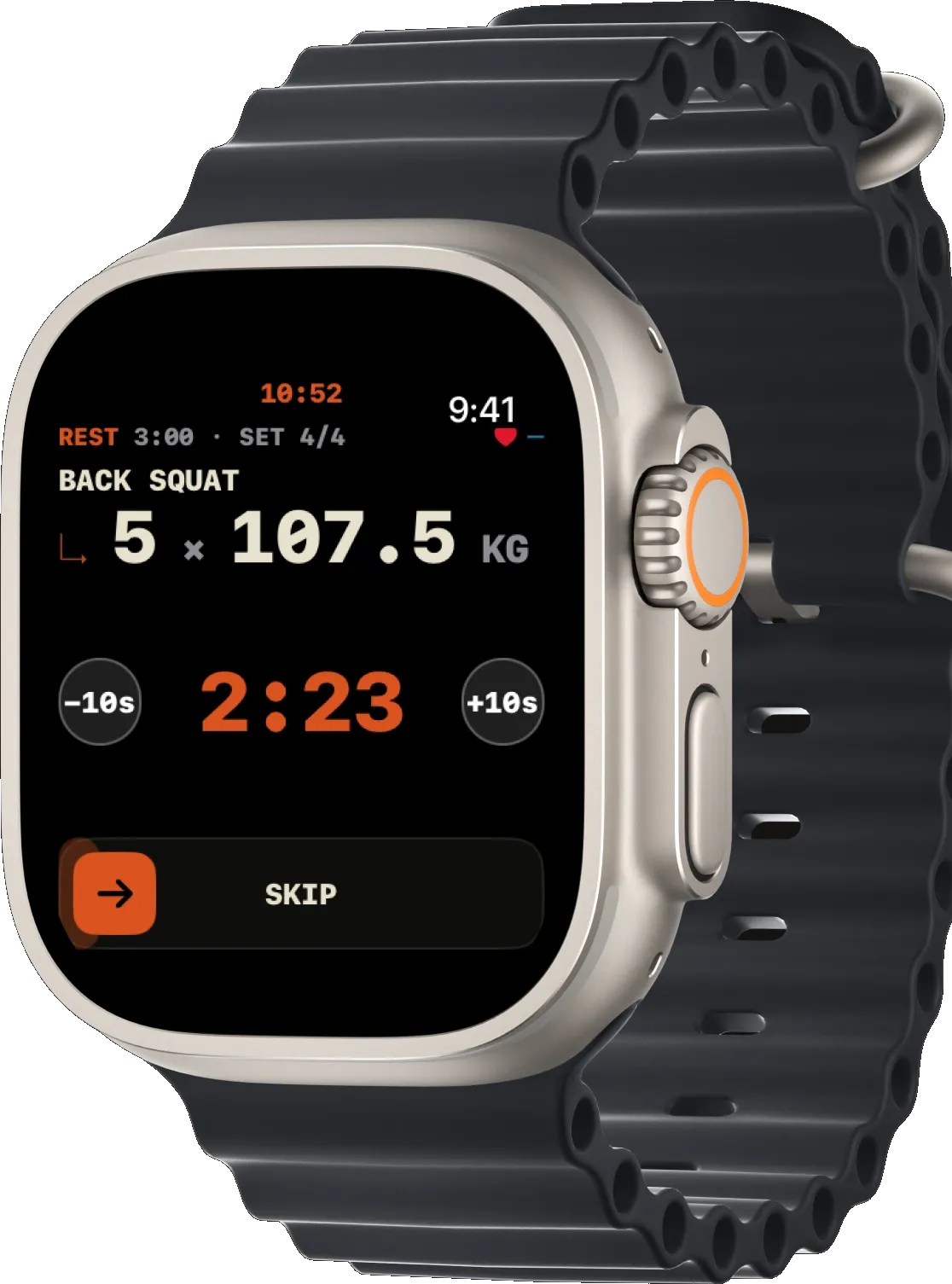
In that mode the phone never comes out. It can be at the bottom of a bag, in a nearby locker, or in your jacket on the bench. That is exactly what the built-in Workout app does not do: it records no sets and no weights.
What does not work without the iPhone in range
The watch does not record the session itself: it sends each set to the iPhone, which writes it down. If the phone stayed in the car or at home, the watch cannot take over.
The iPhone app also must not have been force-quit. In the background it works; swiped out of the app switcher, it stops answering.
Why that constraint is good news
Most standalone watch apps record on their own side, then sync later. Anyone who has used one knows the result: a duplicated session, a half-lost session, sets to reconcile by hand on a Sunday evening.
With a single recorder, that problem does not exist. There is one session, written as the sets happen, and the watch is only a remote. You never merge anything, and you never wonder which version is the right one.
It is also what lets a set you confirm on your wrist appear immediately on the iPhone's Lock Screen timer, without waiting for the session to end.
How to set yourself up at the gym
Three habits are enough.
- Open the app on the iPhone before you start, then put the phone away. The background does the rest.
- Keep the phone in the gym, not in a locker room at the other end of the building. A few metres and a wall are fine; a concrete floor is not.
- Finish the session on the watch. If it ended properly there, it is already written on the phone.
Frequently asked questions
Does a cellular Watch change anything?
Not for this: what matters is the link between the watch and the iPhone, not network access. A cellular Watch does not replace an iPhone within range.
What happens if I walk away mid-session?
Sets confirmed before that are saved. Any you tried out of range would go nowhere. Come back into range before carrying on.
What if I would rather do everything on the phone?
Perfectly possible, the watch is optional. It mainly earns its place when taking the phone out between sets breaks your rhythm.
The phone stays away. It is simply never very far.